Rust scene filters: the best Rust color settings on a hotkey
Updated · PixelForge team
There is no single best Rust color setting, because Rust is four different maps in one. Snow needs less glare, grass needs more color separation, desert needs its orange pulled back and tunnels need light in the shadows. PixelForge Rust scene filters give each area its own color mix and switch between them with a hotkey.

The four Rust scene looks
- Snow: a deep blue sky and white snow with less glare, so dark clothing and structures stand out.
- Desert: golden sand instead of grey-beige, a deep blue sky and green palms, so tan kits stop melting into the ground.
- Green: a deep blue sky, bright green grass and yellow sand, so brown and grey clothing separates from the grass.
- Metro: a mix for the underground tunnels that lifts the dark without blowing out the lights.
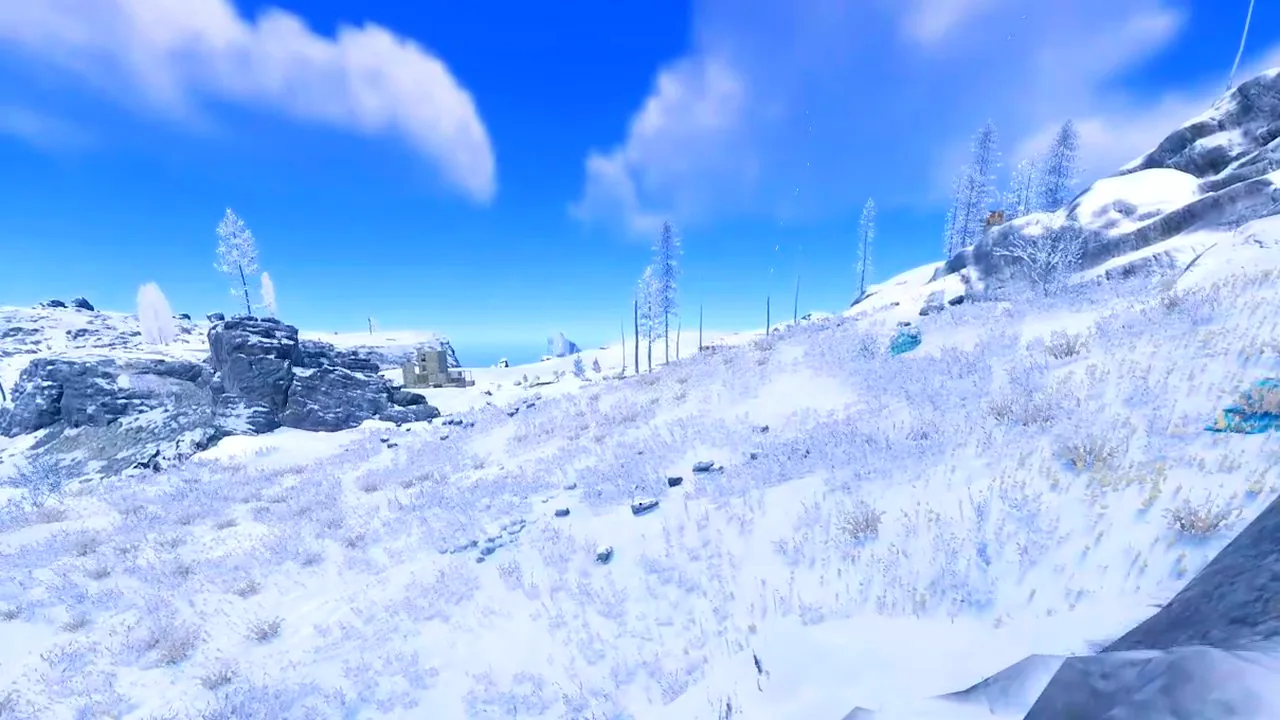
Compare on real Rust frames, then apply
On the Filters page every look sits on a real Rust picture. Drag the slider to compare before and after, press Apply, and bind each look to a hotkey so you can switch as you cross the map. Press F9 in game to cycle looks. You can try the same comparison in your browser in the web simulator.
Your own look, per game
Every look is built from the same filters you can tune yourself: saturation, vibrance, brightness, gamma and warmth, plus NVIDIA Digital Vibrance on NVIDIA cards. PixelForge keeps a separate profile per game, so Rust, CS2, Fortnite, Valorant and Apex Legends each get their own colors and your desktop stays normal.
Why not just use NVIDIA filters or the driver panel?
- Driver vibrance is one value for everything. NVIDIA, AMD and Intel saturation sliders change your whole desktop and do not change per area of the map.
- In-game overlay filters depend on one GPU brand and on the game being supported. PixelForge works on NVIDIA, AMD and Intel in any borderless-windowed game.
- Shader injectors run inside the game. That can cost frames and can be a ban risk on servers with anti-cheat. PixelForge works on the Windows display and never touches game files or memory.
Share looks with the community
Made a look you like? Publish it with a share code and vote on other players' presets. Your setup is also saved to the cloud with your key, so a new PC gets your looks back in one step.
One click back to normal
The Normal colors button resets every look, turns off Night Vision and Black Holo and restores your Windows and NVIDIA colors exactly as they were.
Want exact values to tune by hand? Read the best Rust color settings guide.
Try it on your own PC
PixelForge is a single signed .exe for Windows 10 and 11. Nothing to install, updates itself when your PC is idle, and your settings follow your key to any PC.
Try free for 24h on Discord Get access from $5
30 days for $5 or Lifetime for $15 once. Pay with USDT on Tron (TRC20) or Solana and your key appears instantly. 7-day refund promise if it won't run on your PC and support can't fix it.
Questions
What are the best Rust color settings?
Use a different look per area: less glare and more contrast for snow, more saturation for grass, warm tones pulled back for desert and lifted shadows for tunnels. PixelForge has a ready look for each on a hotkey.
Is there an NVIDIA filter alternative for Rust?
PixelForge applies saturation, vibrance, brightness, gamma and warmth on the Windows display, per game, on NVIDIA, AMD and Intel, without injecting into the game.
Do Rust scene filters work on AMD?
Yes. The filters work on NVIDIA, AMD and Intel. NVIDIA Digital Vibrance is an extra option on NVIDIA cards.
How do I switch looks in game?
Bind each look to a hotkey, or press F9 in game to cycle through them.
Is it safe?
PixelForge does not inject into games, touch game files or read game memory. It only changes how your screen looks and draws overlays. No tool can promise what every anti-cheat or server admin will accept, and some Rust servers ban external zoom tools, so check the rules and leave those features off if you are not sure.
More PixelForge features
- Rust black holo: a holo sight you can see on snow
- How to see at night in Rust: a night filter without purple shadows
- Stretched resolution in one click for Rust, CS2 and Fortnite
- Zoom lens and custom crosshair overlay for PC games
- PixelForge Lite: a free crosshair overlay and FPS counter
- PixelForge vs VibranceGUI, Crosshair X, HudSight and NVIDIA filters